Kurtosis Excel Calculator
This Excel spreadsheet calculates kurtosis, skewness, standard deviation, and other summary statistics for a data set you enter. Simply copy-paste your data (order doesn't matter) into the column marked in the file, choose population or sample, and see the result.
Kurtosis Calculator Screenshot
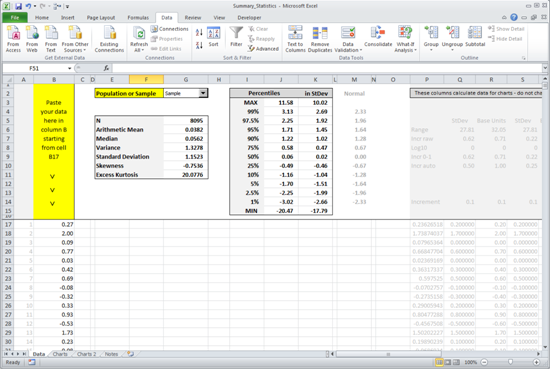
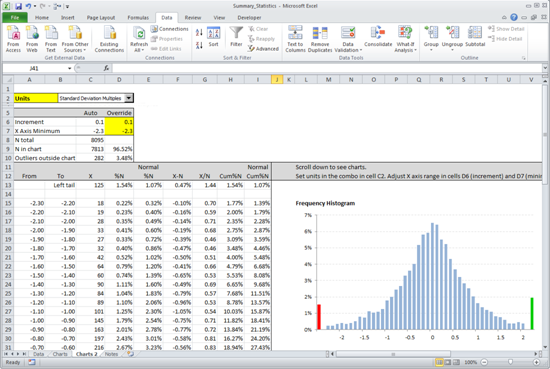
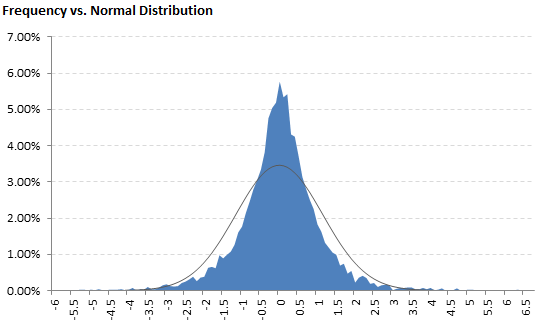
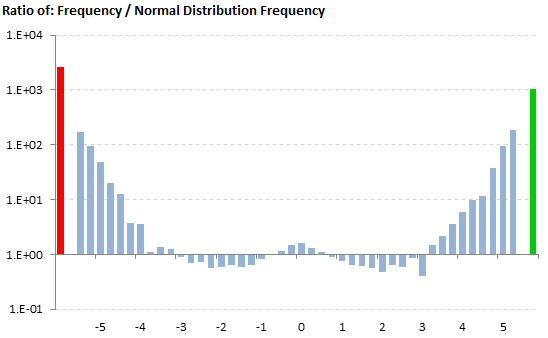
The Calculator also contains several charts where you can evaluate kurtosis and the other measures visually and you can compare your data to normal distribution (which has kurtosis of 3 = zero excess kurtosis).
Calculating Kurtosis in Excel
There is a built in function for calculating kurtosis in Excel: KURT. This function actually calculates sample excess kurtosis. There are no built-in functions for calculating the other forms of kurtosis (population kurtosis, sample kurtosis, population excess kurtosis), but you can calculate them by adjusting the result of KURT manually - see detailed instructions here: Calculating Kurtosis in Excel. Alternatively, you can calculate them directly using the formulas below.
How to Calculate Kurtosis Manually
Calculating Population Kurtosis
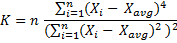
Calculating Population Excess Kurtosis
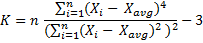
Calculating Sample Kurtosis

Calculating Sample Excess Kurtosis

Detailed explanation and derivation of the formulas is available here: Kurtosis Formula.
Download the Kurtosis Calculator
Here you can get the Kurtosis Calculator.